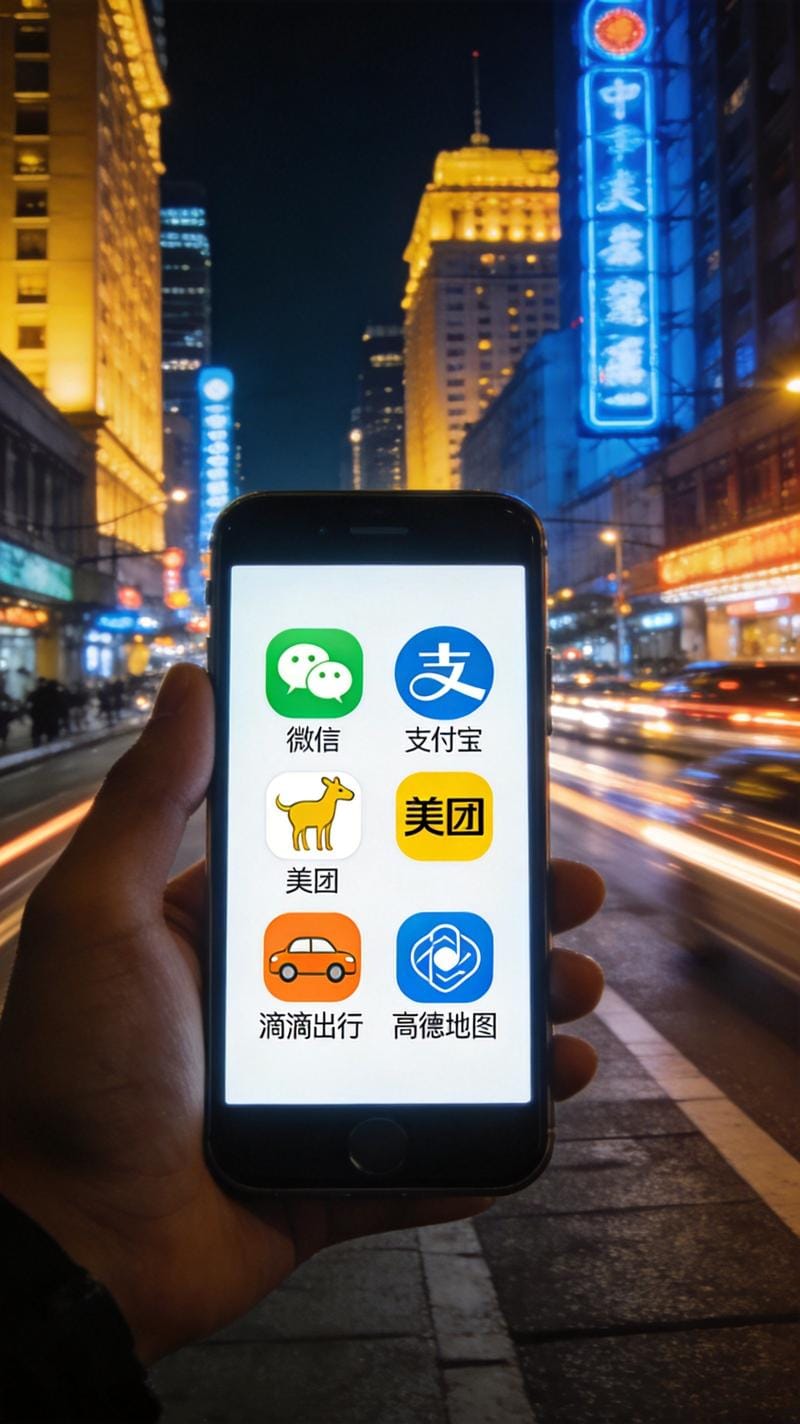
China Without These Apps Is Like a Kitchen Without a Stove
Here's what nobody tells you about visiting China: the internet works differently here. Google Maps? Barely functional. Uber? Doesn't exist. WhatsApp? Good luck connecting. Instagram? Blocked. The apps you rely on at home simply don't work in China, and if you show up without local alternatives, you're going to have a rough time.
But here's the flip side — Chinese apps are genuinely incredible. They do more, they're faster, and they're designed for a world where your phone is literally your entire life. Once you get used to them, you'll wonder why apps back home are so limited.
Download these before your flight. Set them up on the plane. Trust me — you'll thank yourself at 2 AM when you need to order water to your hotel room and the front desk doesn't speak English.
1. WeChat (微信) — Your Lifeline
If you only install one app, make it WeChat. This is not just a messaging app — it's a Swiss Army knife for daily life in China. People use it to chat, pay for things, order taxis, book doctor appointments, pay utility bills, share documents, read news, and even find dates. I know people who haven't opened a separate browser in months because WeChat does everything.
For visitors, the key features are:
Messaging: Add people by scanning their QR code. Everyone in China has a WeChat QR code — it's how you exchange contacts. Business meetings, new friends, your Airbnb host — all WeChat. You can also search by phone number or WeChat ID.
WeChat Pay: You can link international credit cards now. Set it up, and you can pay at virtually any store, restaurant, or street vendor by scanning a QR code. No cash needed. Go to Me → Services → Wallet → Add Card. Visa and Mastercard both work.
Mini Programs: These are lightweight apps that run inside WeChat. Need to order a Didi (ride-hailing)? There's a mini program for that. Want to order food? Mini program. Book a hotel? Mini program. Check your high-speed rail tickets? There's a 12306 mini program. You don't need to download separate apps — it's all inside WeChat. Search "DiDi" or "Meituan" in the Mini Programs section and you're set.
2. Alipay (支付宝) — The Other Payment Superpower
Alipay is WeChat Pay's biggest rival. Both do the same thing (QR code payments), but some places prefer one over the other. Having both means you're covered everywhere.
Alipay has a few tricks that WeChat doesn't: better integration with foreign credit cards, a "Tour Pass" mini-app specifically designed for tourists (loads money from your international card into a virtual Chinese wallet — minimum 100 yuan, maximum 2,000 yuan per load), and generally better English support. If setting up WeChat Pay feels overwhelming, start with Alipay Tour Pass — it's the easiest on-ramp for visitors.
The Tour Pass setup: Open Alipay → search "Tour Pass" → follow the prompts → link your international card → load money. The exchange rate is decent (within 1-2% of the mid-market rate). Any unused balance can be refunded to your card when you leave China. The whole process takes about 5 minutes.
Fun fact: Alipay can also generate a virtual Chinese phone number for verification purposes. This is incredibly handy when local apps require a Chinese number for registration.
3. Didi (滴滴出行) — Because There's No Uber
Didi is China's ride-hailing app. It bought Uber China in 2016 and now owns the market completely. The app works almost exactly like Uber — set pickup location, set destination, choose car type, and a driver comes to get you.
Didi has English support in its international version. Search for "DiDi Rider" in your app store. It supports international phone numbers for registration and accepts foreign credit cards. Prices are much cheaper than taxis — a typical 10-minute ride in a major city costs 15-25 yuan ($2-3.50).
Pro tip: Didi Express (快车) is the standard option. Didi Premier (专车) gives you a nicer car for about 50% more. Didi Hitch (顺风车) is carpooling — cheapest option but takes longer and requires some Chinese to coordinate with the driver. For getting to/from the airport, Didi has a specific airport option that guarantees larger cars for luggage.
One thing to know: Didi sometimes requires facial recognition verification before you can ride. This is a Chinese regulation, not the app being nosy. Just follow the prompt — look at the camera, blink when asked, and you're in.
4. Amap / Gaode (高德地图) — Because Google Maps Lied to You
Google Maps in China is unreliable. The mapping data is years out of date, GPS drift is a real problem (your dot will appear to be on a different street), and many businesses aren't listed. Amap (高德地图) is what locals actually use, and it's spectacularly good.
The app shows real-time traffic, public transit directions (bus, subway, walking), and has turn-by-turn navigation that actually works. It even tells you which subway car to board for the fastest exit at your destination station. The English interface is decent but not perfect — if you can read some Chinese, the Chinese version is better. You can search destinations in pinyin, like "Tiananmen" or "Bund."
Baidu Maps (百度地图) is the other major mapping app. Both are fine. I prefer Amap because the UI is cleaner and the transit directions are more accurate. But honestly, you can't go wrong with either. Both work offline if you download the map data for your city beforehand.
5. Meituan (美团) — Food Delivery, and Basically Everything Else
I wrote a whole separate guide about Meituan for food delivery, but the app does way more than that. Meituan is also how you book movie tickets, get hotel deals, find local activities, order massages, hire house cleaners, and buy discount coupons for restaurants. It's Yelp, OpenTable, Fandango, Groupon, and DoorDash rolled into one.
The food delivery part is the most useful for visitors. Meituan connects you to thousands of restaurants in your area, delivers in 30 minutes on average, and costs almost nothing in delivery fees. If your hotel doesn't have room service, Meituan IS your room service.
Meituan also has a hotel booking section that sometimes has better prices than Trip.com, especially for budget and mid-range hotels. And the movie ticket feature is great — you pick your seat on a map and get a QR code. No need to print anything.
6. 12306 (铁路12306) — For Train Travel
China's bullet train network is the best way to travel between cities, and the 12306 app is how you buy tickets. Yes, you can use Trip.com instead (see my high-speed rail guide), but 12306 is the official source with no service fees. The app now has English support and accepts foreign passports for registration.
Key things to know: tickets go on sale 15 days before departure, popular routes sell out fast, and you board by scanning your passport at the gate (no paper ticket needed). Download the app and set it up before you arrive — identity verification can take a day or two if the auto-check doesn't work.
7. Translation Apps
Google Translate works in China if you download the offline Chinese language pack before you arrive (do this on WiFi before you land). The camera feature — where you point your phone at Chinese text and it overlays a translation — is a lifesaver for menus, signs, and product labels.
But the best translation app for China is actually Baidu Translate (百度翻译) — it handles Chinese-English better than Google for things like menus, slang, and street signs. Microsoft Translator is also decent and doesn't require a VPN.
The real game-changer? WeChat's built-in translate feature. Long-press any Chinese text message and tap Translate. It works in chats, mini programs, and even on screenshots. Not perfect, but good enough for daily use. For voice translation, iFlytek (科大讯飞) is the most accurate for Chinese speech recognition — it's what most Chinese people use too.
8. VPN — If You Need the Western Internet
Let's be real: many Western sites are blocked in China. Google, YouTube, Facebook, Instagram, WhatsApp, Twitter, Telegram, Gmail — they all require a VPN to access. The Great Firewall is effective and getting smarter every year.
Set up your VPN before you land, because downloading one from inside China is, well, complicated (the app stores are also filtered). I'm not going to recommend a specific VPN here — the landscape changes fast, and what works in January might be blocked by March. Do your research, read recent reviews (check Reddit's r/China), and have it installed and tested before your flight.
Some hotels and coworking spaces have their own VPN setups — ask at the front desk. Business hotels in particular often have workarounds for their guests. But don't rely on this as your only option.
A few things that work without a VPN: Apple services (iCloud, iMessage), most Chinese apps, and some Microsoft services. WhatsApp calling is blocked but text messages sometimes get through (don't count on it). Signal is also blocked.
The Setup Checklist Before You Land
□ WeChat (register, add profile photo, practice scanning QR codes)
□ Alipay (set up Tour Pass, link credit card)
□ DiDi Rider (register with your phone number, add payment)
□ Amap (download offline maps for your destination cities)
□ Meituan (register, set delivery address to your hotel)
□ 12306 (register, verify identity, add passenger info)
□ VPN (installed, tested, working)
□ Google Translate (download offline Chinese pack)
□ Screenshot of your hotel address in Chinese (for taxi drivers)
□ Your bank's international travel notification turned on
□ A Chinese phone number (get a tourist SIM at the airport)
□ Portable battery pack (you'll drain your phone fast using all these apps)
Do all of this before you land, and China will feel easy. Skip it, and you'll be that person standing outside a restaurant pointing at a menu and hoping for the best. Don't be that person.